

It’s confusing to evaluate AI service desk agents because a lot of platforms get clubbed into that category even though they couldn’t be more different.
Some of them, like InvGate or Freshservice, are full-fledged ITSM vendors with a built-in AI module. Others like Botpress and Fin are more AI-native, but that doesn’t necessarily make them better at IT automation because they lack standard ITIL-alignment. This affects everything from functionality to onboarding time and even determines what pricing structure the platform offers.
Over the past few weeks, I’ve been digging through every major AI service desk platform for ITSMTools.com, many of which have already been on my watchlist due to my work with TechRadar or ZDNET. I’m a journalist who evaluated IT and DevOps software for a living, so my work has taught me how to analyze corporate tech stacks using a standardized rubric. I’ve put each platform through a lot of testing and pored through user testimonials on G2, Capterra, TrustRadius, etc. to see if my experience lines up with what most users say.
I ended up with three leading AI agents that clear the bar for IT teams, depending on the size and structure of your organization: Zendesk AI, Freshservice’s Freddy AI, and InvGate. For those looking for AI-native solutions specifically, Botpress and Fin AI are adequate solutions though they don’t replace the need for an ITSM hub.
The best AI service desk agents of 2026
I put each of these platforms through the same paces. Signed up for a trial account, completed onboarding, built an automated workflow, triggered a test ticket, checked for analytics and integration support, and contacted their customer success team for some troubleshooting where feasible.
Then, I scored them from 1 to 5 across areas like pricing, user experience, ITSM functionality, automation features, and third-party integration support. All of this was weighted against the rest of the platform to paint a complete picture of its overall performance. I also took a ton of notes from public testimonials on sites like G2 and TrustRadius, which informed my assessment of their customer satisfaction.
| Platform | Weighted score | Starting price | Best for | Avg. third-party rating |
| InvGate | 4.5/5 | $1,499/year for the Starter plan for up to 5 agents, $500/agent/year for a Pro subscription | ITIL-aligned service desks that want strong core functionality and solid support | 4.5/5 |
| Freshservice (Freddy AI) | 4/5 | $99/agent/month for the Pro plan with $29/agent/month add-on pricing for Freddy AI | Teams that want a full ITSM platform with AI add-ons they can turn on gradually | 4/5 |
| Zendesk AI | 3.5/5 | $29/agent/month for the Suite Team plan, plus an additional $50/month per Copilot agent | Larger teams that need deep integrations and can absorb usage-based AI billing | 4/5 |
| Robin by Atera | 4/5 | IT department plans start from $149/technician/month, Robin is available as a separate add-on with an outcome-based billing system | Customer-facing support teams prioritizing AI resolution quality over ITSM depth | 4.5/5 |
| Botpress | 3.5/5 | Plus from $150/month; Team from $750/month plus usage-based AI spend | Technical teams building a custom AI agent rather than buying a service desk | 4.5/5 |
InvGate
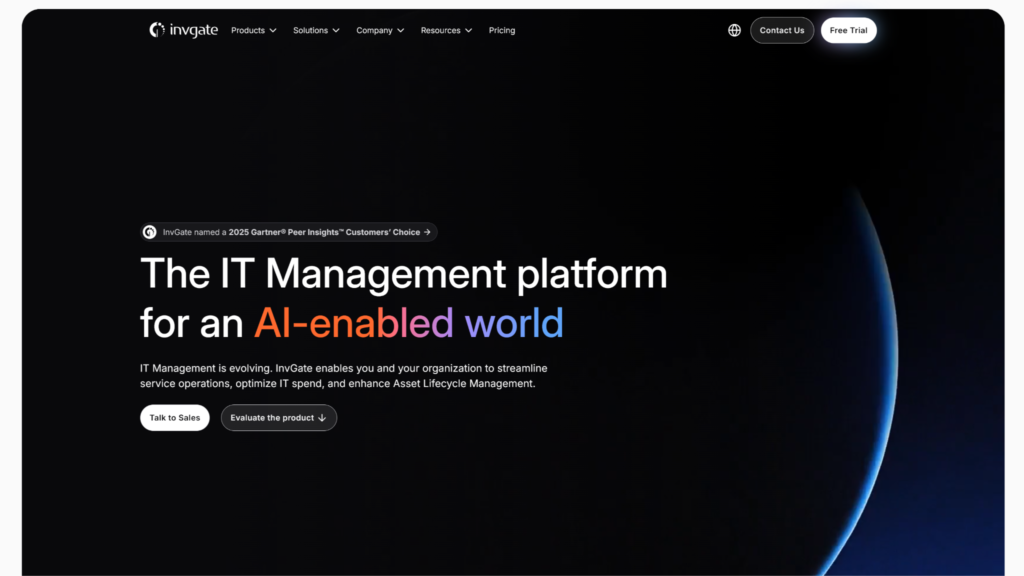
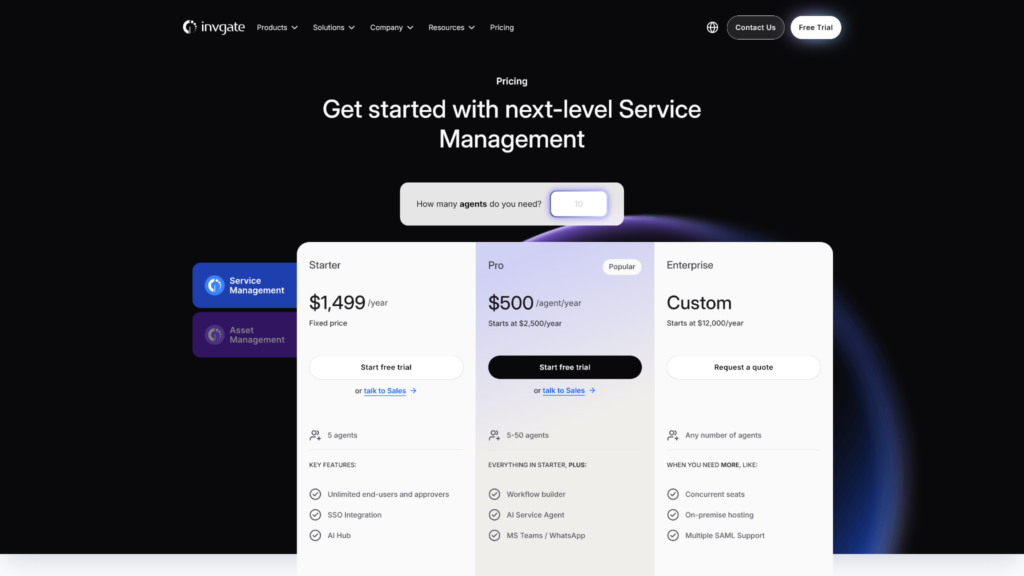
If you’re looking for a dedicated IT service desk, InvGate offers the best combination overall of traditional ITSM and AI compatibility. It doesn’t gate its AI capabilities behind higher-end plans, so even the entry-level Starter, which costs $1,499/year for teams with up to 5 agents, gives you access to 20+ features from the AI hub. Deploying autonomous AI service agents will require upgrading to the Pro plan, but at $500/agent/year, it still costs lower than Freshservice Pro.
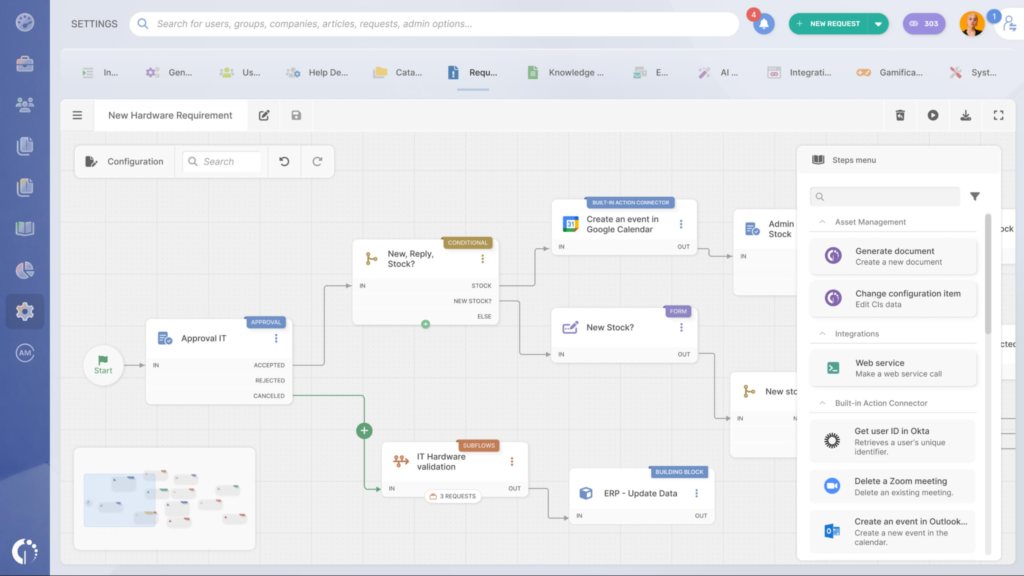
It isn’t just InvGate’s pricing structure that stuck with me, however. With its core ITIL specialization, this is a platform that’s designed for IT service delivery and has built its AI features around that specialization. You can expect all the advanced features prerequisite for a full-fledged ITSM platform, including strong incident and change management features, a no-code automation builder, enterprise workflow templates, and access to its custom API. But more importantly, these features are executed with more finesse than general-focus competitors, without sacrificing any ease of use.
Continuing on with the AI features, I managed to turn a resolved service request chain about someone needing help resetting their passwords directly into a knowledge base article on password management. I should also highlight that InvGate has a new feature that lets you connect any MCP-compatible AI assistant directly to its service management platform. So you could ask questions about your service desk data directly from Claude or Microsoft Copilot, without setting up any custom integrations.
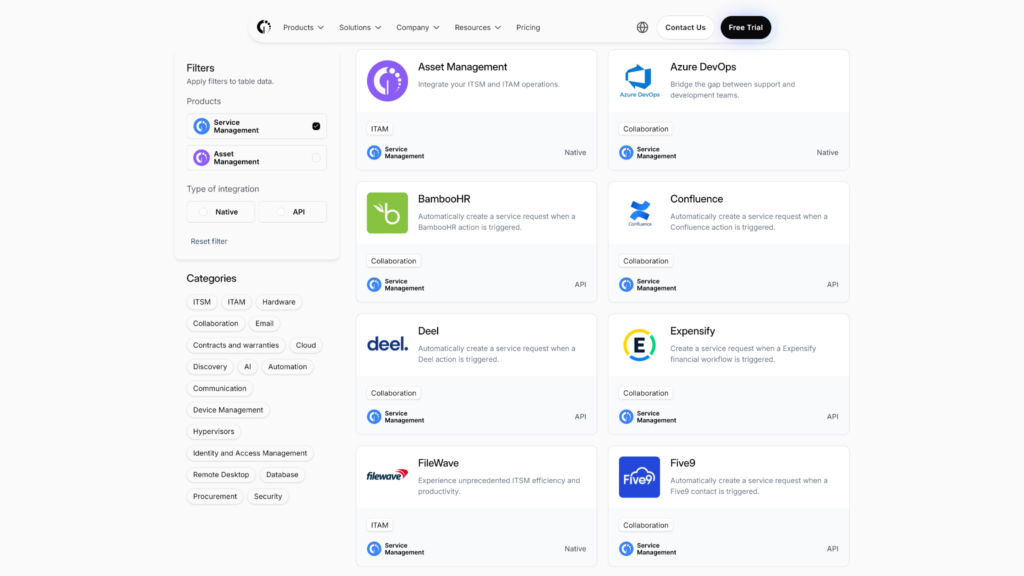
If there is one thing worth flagging, it’s that InvGate has a smaller library of frequently-used ITSM integrations and not a massive public app marketplace like what Zendesk offers. This made sense to me based on its targeted focus, but it’s worth double-checking with your existing tech stack just in case.
Freshservice
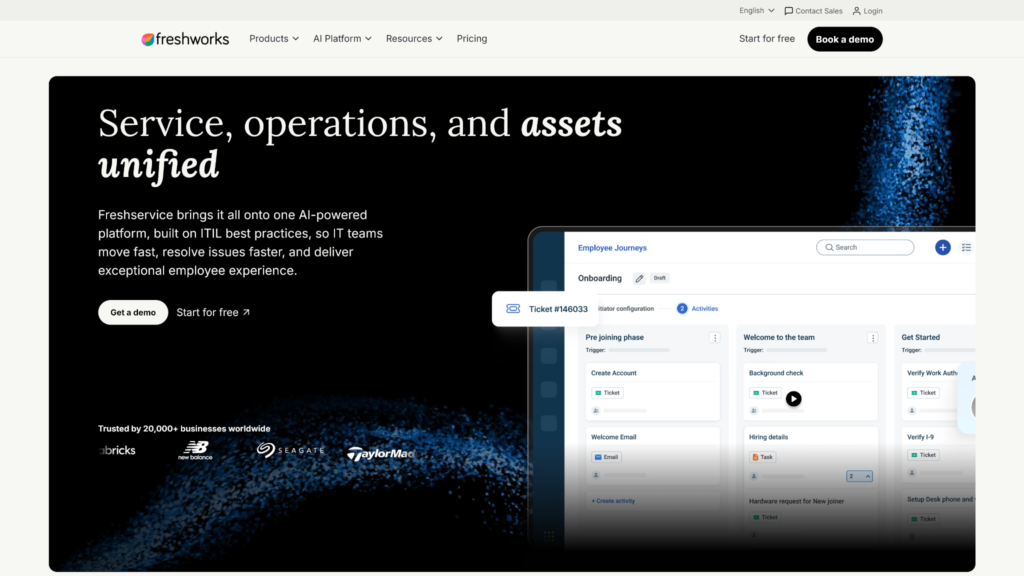
Freshservice scored the second-highest overall, with the lowest amount of setup friction, a well-scaled pricing structure, and a gentle learning curve for standard ITSM users who want to lean deeper into AI. I liked the professional UI design, with a focus on flat minimalism and the option to add your own custom color schemes for a branded experience.
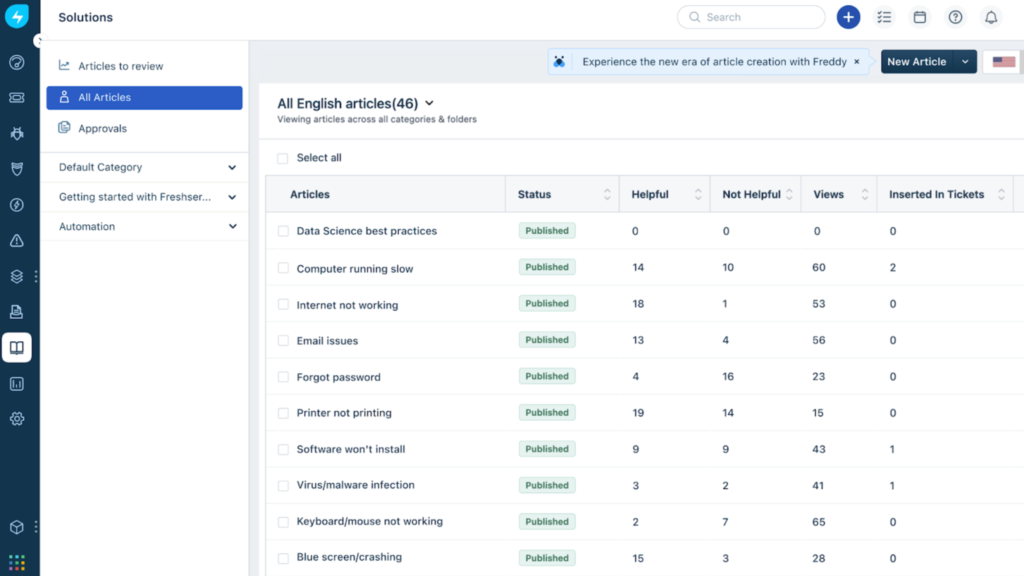
As an enterprise-ready ITSM platform, Freshservice has all the usual bells and whistles like SLA management, ticketing, knowledge base creation, as well as AI-powered assistance and analytics. Where it falters, at least for me, is the fact that you pay a separate monthly fee for the AI addon and the Starter and Growth plans don’t let you purchase it at all.
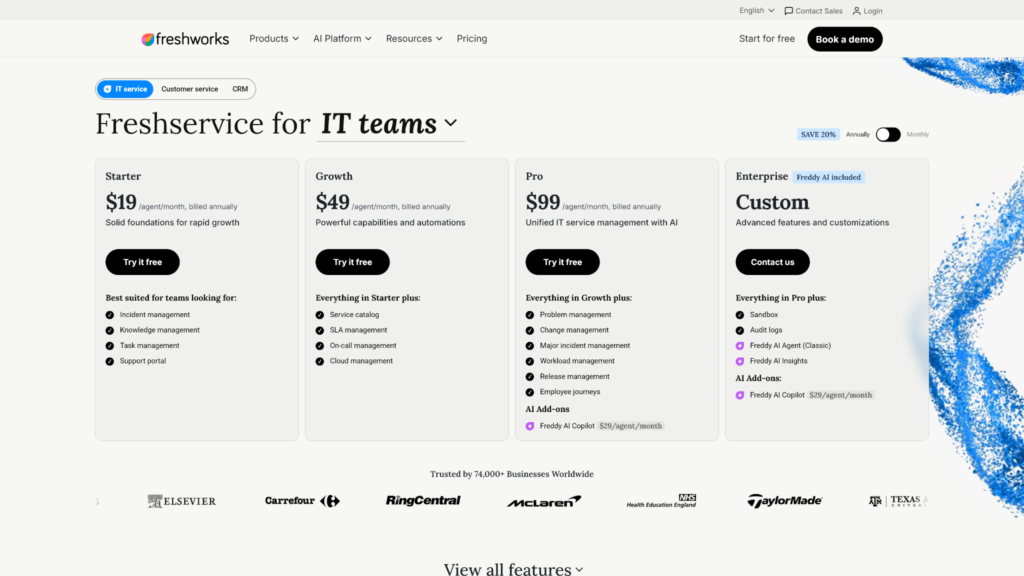
At the very least, you’ll be paying for the Pro plan at $99/agent/month with an additional $29/month for Freddy AI. On the plus side, Freddy AI CoPilot doesn’t have any usage limitations or credit-based pricing, so that add-on price is all you’ll pay for the AI.
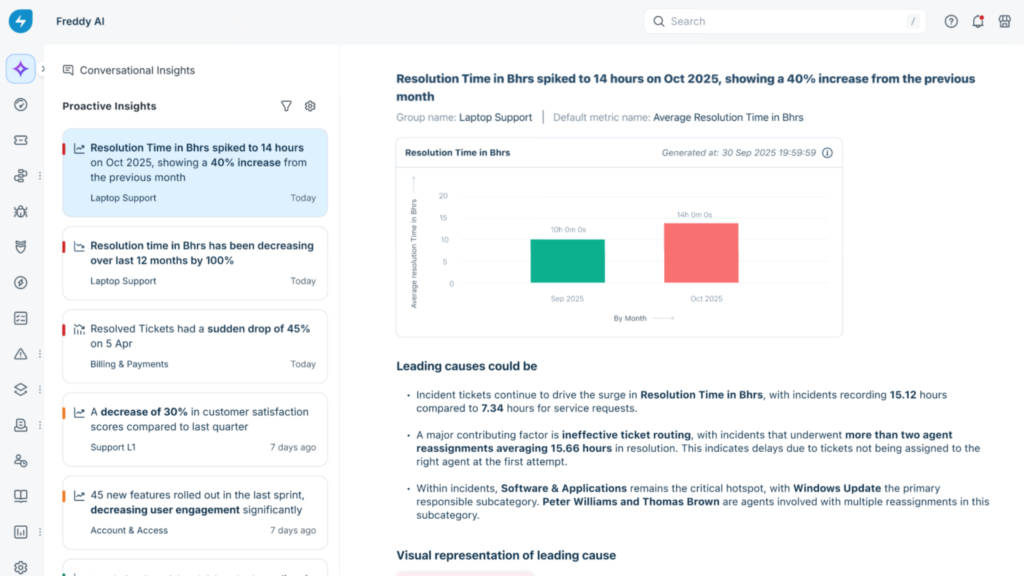
In terms of actual functionality, Freddy AI helped me generate summaries, respond to sample service requests, conduct research, and surface tickets relevant to specific issues when I asked. All of this, including the standard ITSM features and the AI assistant, are designed for accessibility without sacrificing advanced features.
Freshservice offers customer support across multiple channels like real-time chat, email, phone calls, a ticketing system, and a self-serve knowledge base. While the chat runs on a triage system with a bot taking your questions before relegating them to human agents, support quality was fine for me once an agent took over. However, other users have had more mixed experiences, with many complaining about shifting account managers and an overreliance on third-party support contractors.
Zendesk AI
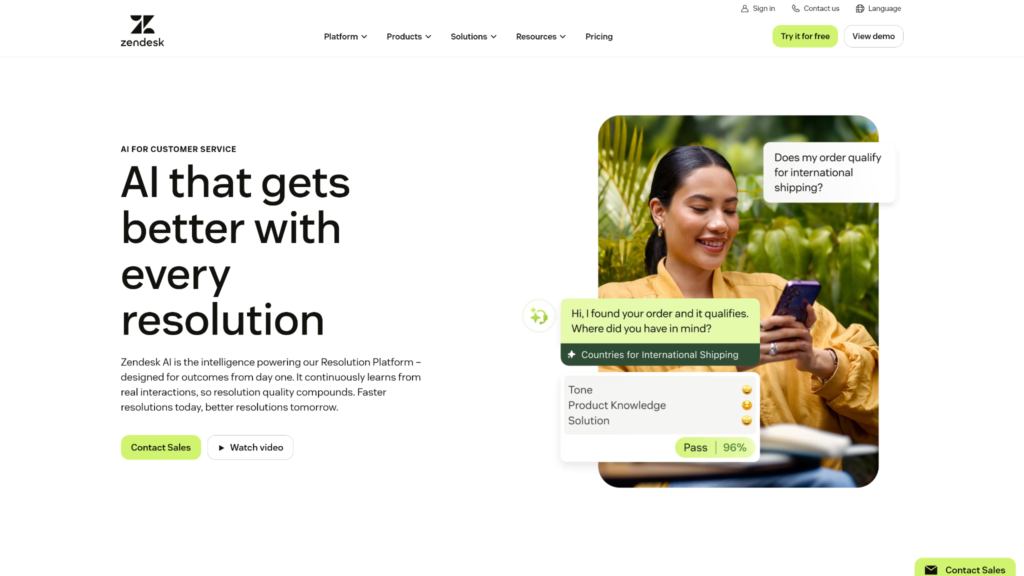
Zendesk offers both solid AI helpdesk functionality and an ecosystem of around 1,900 third-party integrations through its app marketplace. If you just want an AI service desk platform that’s least likely to conflict with a growing corporate tech stack, Zendesk wins hands down.
Zendesk AI Copilot can summarize long ticket threads, offer reply suggestions, and assist with troubleshooting and management tasks in real time. Autonomous agents can handle support interactions over email or message chains by themselves, with little to no overhead from your IT team.
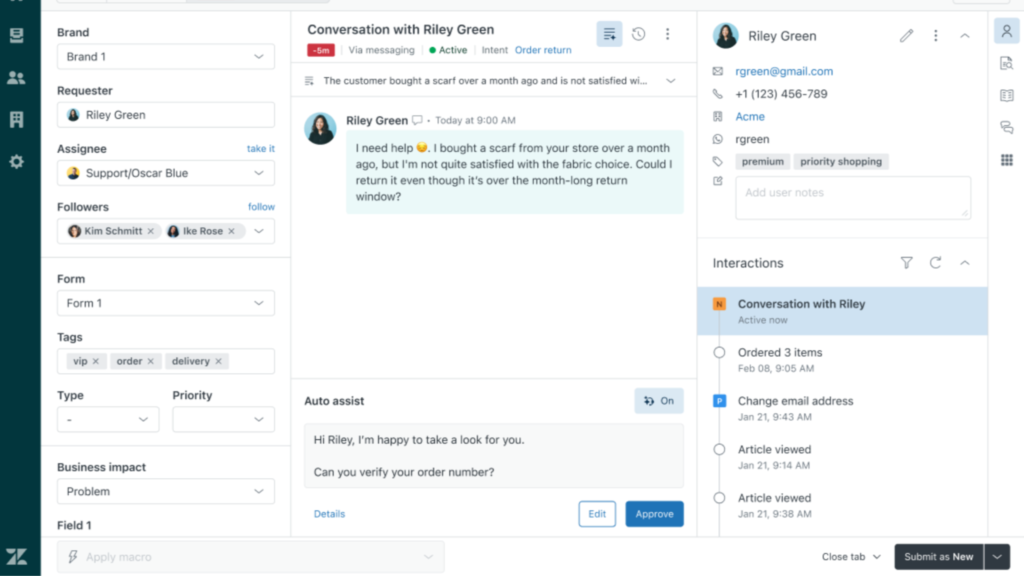
But remember that this is not an ITSM tool. Zendesk is held back from being an excellent IT support platform because it lacks true ITIL-alignment, doesn’t have a proper Configuration Management Database (CMDB), and offers limited enterprise-grade change management features.
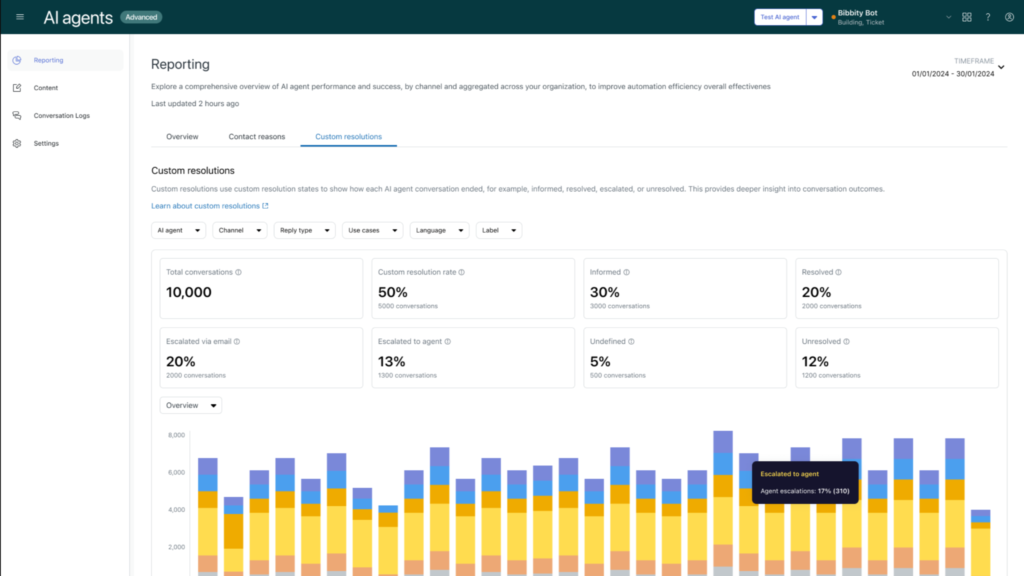
I also kept running into bottlenecks with the AI features on lower-end plans. Turns out, a lot of the best AI automation and agentic functionality are locked behind the priciest plans Zendesk has to offer. While every Suite plan has some AI features, the best AI analytics or intelligent triaging features are locked behind the Enterprise plan.
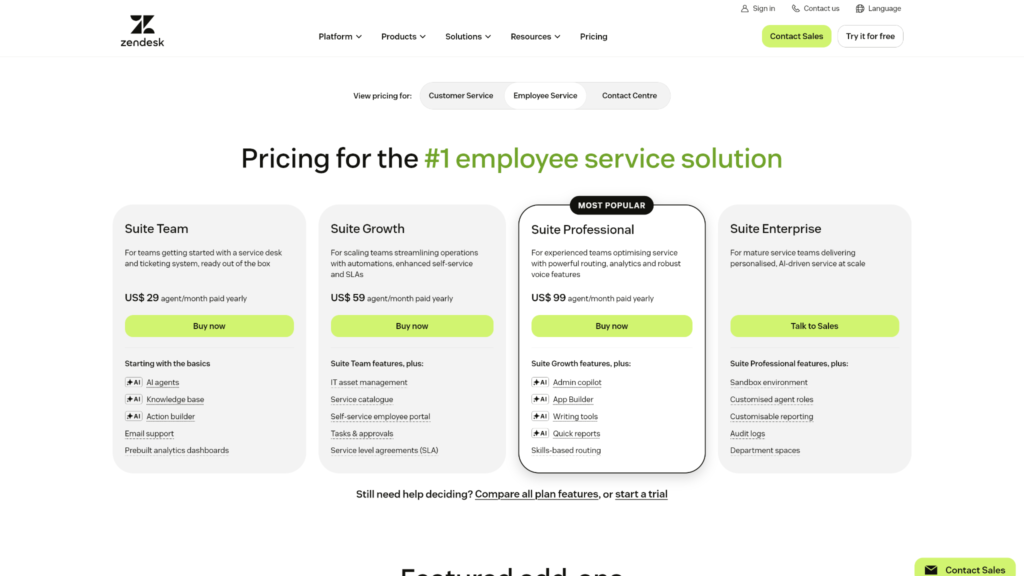
For a small-to-medium sized IT team, Zendesk’s biggest problem isn’t even the missing ITSM functionality but the heavily gated and expensive pricing structure. AI features are available across the Suite Team, Suite Growth, Suite Professional, and Suite Enterprise plans. You’ll pay $29/agent/month for the Suite Team plan, $59/agent/month for Suite Growth, and $99/agent/month for Suite Professional, plus an additional $50/month per agent for the Copilot add-on that contains the most powerful AI features.
Moreover, AI agents also have a separate usage-based billing system that charges you for every automated resolution delivered, beyond the base plan and add-on costs. Also keep in mind that these are annual contracts, so monthly billing is not an option and you have to pay upfront for the base plan and add-on costs for the entire year. Make sure to factor in all that, along with the usage-based billing system into your budget before you commit.
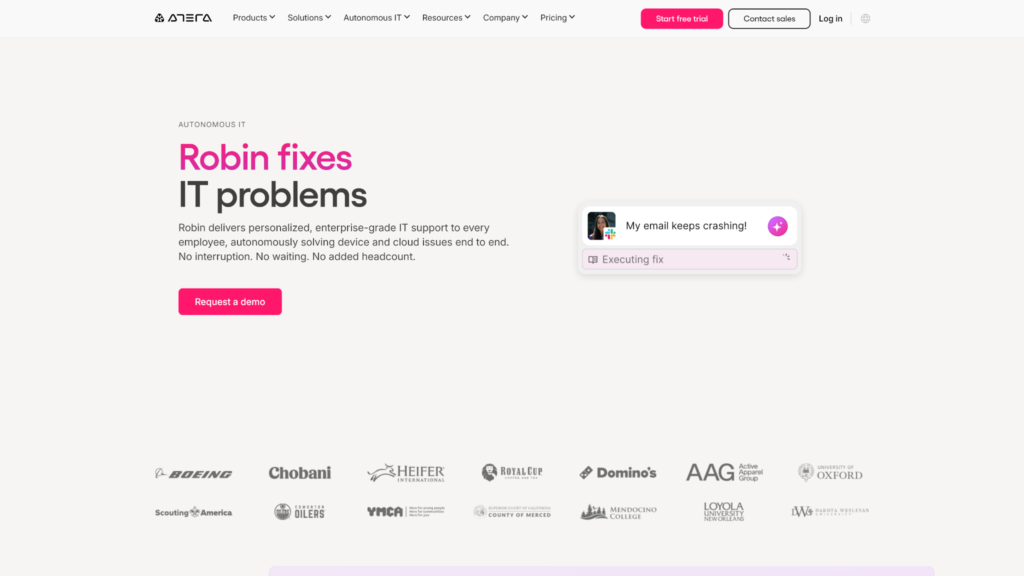
Robin by Atera
Like Freddy AI or Zendesk’s AI Agents, Robin is an autonomous agent layered on top of Atera’s larger service management platform for IT teams.
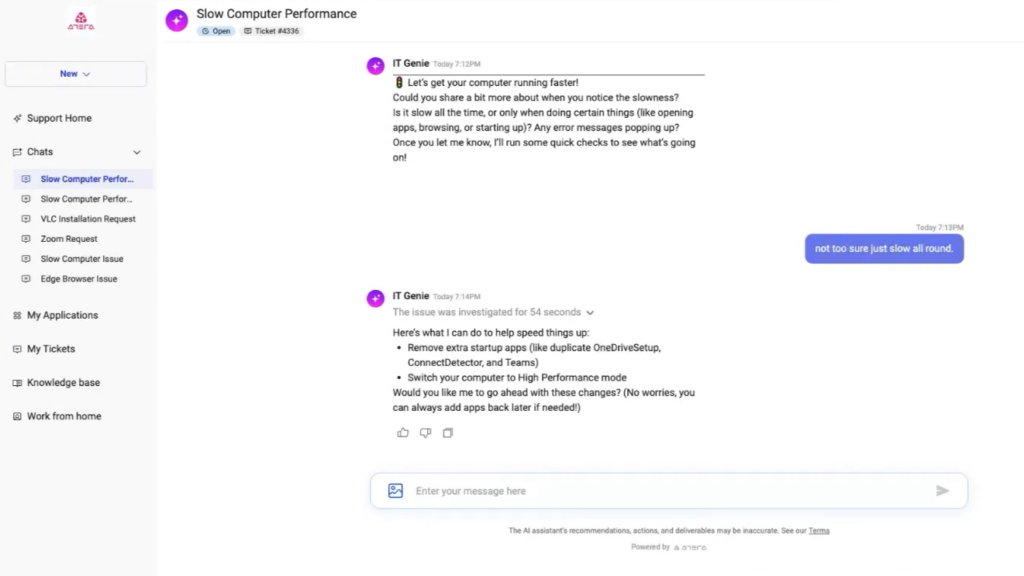
However, I found that it has much deeper ITIL alignment than Freddy AI or Zendesk. During a standard ticketing workflow, I observed it verify the requester’s identity against Okta or Azure AD, diagnose the issue, execute approved fixes by itself, and close the ticket after looping in the updates.
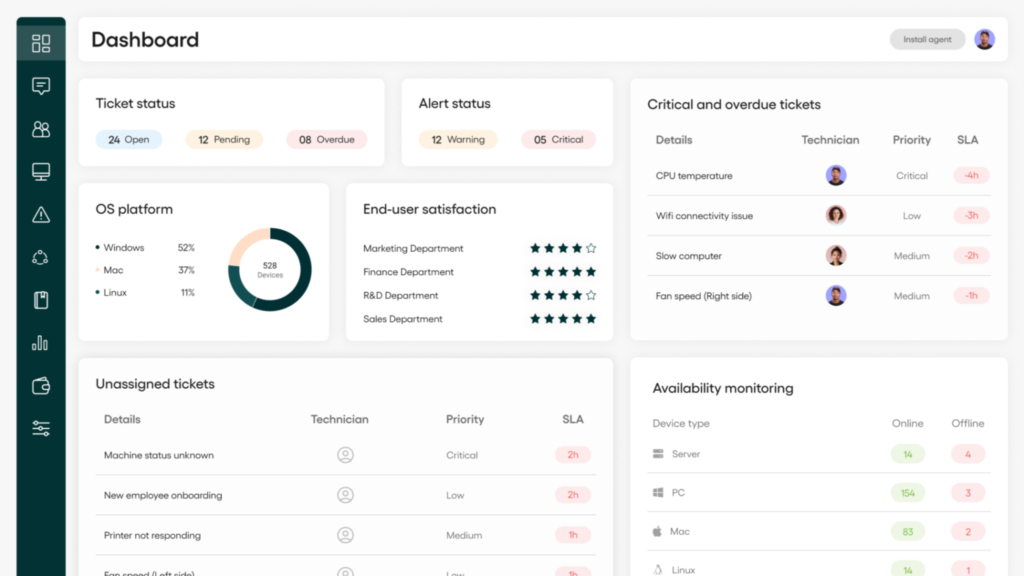
If you’re looking for an AI agent that’s purpose built for IT service delivery, Robin offers a strong package. Autonomous workflows are complemented by reporting, audit logs, ITSM integrations, and MCP-based tool connectors.
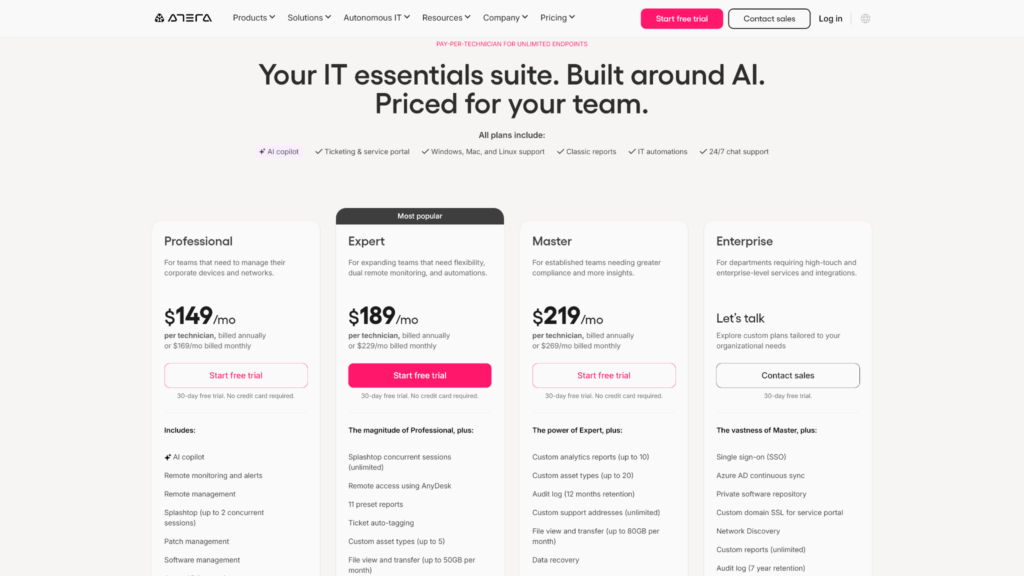
With all that covered, Robin’s weaknesses lie in pricing and customer support. Atera already charges $149/agent/month (or above) for the IT department plans and Robin isn’t included. While basic AI copilot functionality is available free of charge across all plans, Robin’s fully autonomous IT agents have separate outcome-based billing that ties to the number of tickets resolved or closed.
Customer support is also a bit of a mixed bag due to slow responses during peak working hours, although once you can find a human to assist you, it’s generally smooth sailing. It also helps that Robin and Atera are generally intuitive and easy to use for IT teams, which limits the need for constant hands-on support.
Botpress
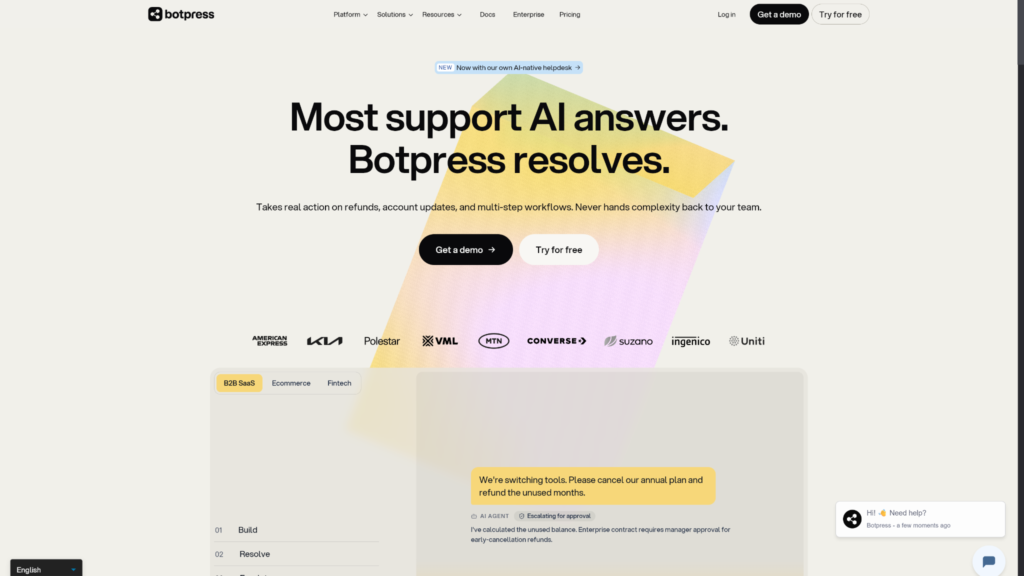
If all you want is a dedicated AI agent builder, Botpress can serve any number of use cases, from customer service to sales and even IT. It doesn’t offer dedicated change management and I confirmed that there’s no SLA policy engine either. But what you get is a solid set of automation features that you can use to create your own AI agents with granular specificity.
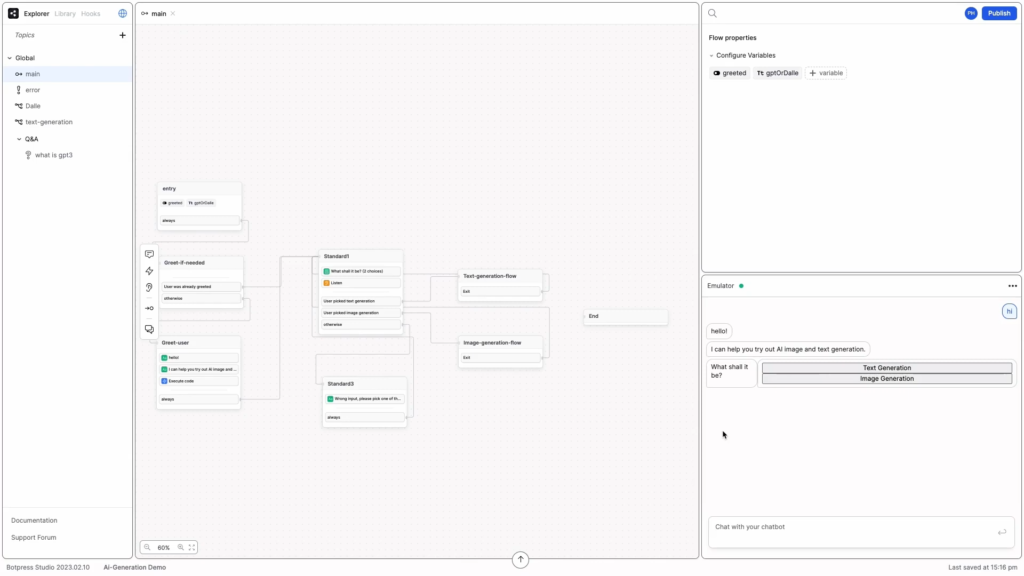
Agent Studio, Botpress’ no-code workflow builder, let me design AI automations using a drag and drop canvas with structured logic and 200+ third-party integrations. While it’s traditionally marketed for customer-facing helpdesks, I found it flexible enough for workflows that serve internal service needs in IT, engineering, DevOps, etc.
There’s no native ITSM component, but integrations let you build out complex AIOps systems by stringing together systems like Jira, Slack, Datadog, and AWS. This way, you can fold in everything including your CI/CD pipelines, infrastructure management system, analytics tools, and product documentation into autonomous agents that can be customized to work exactly how you want.
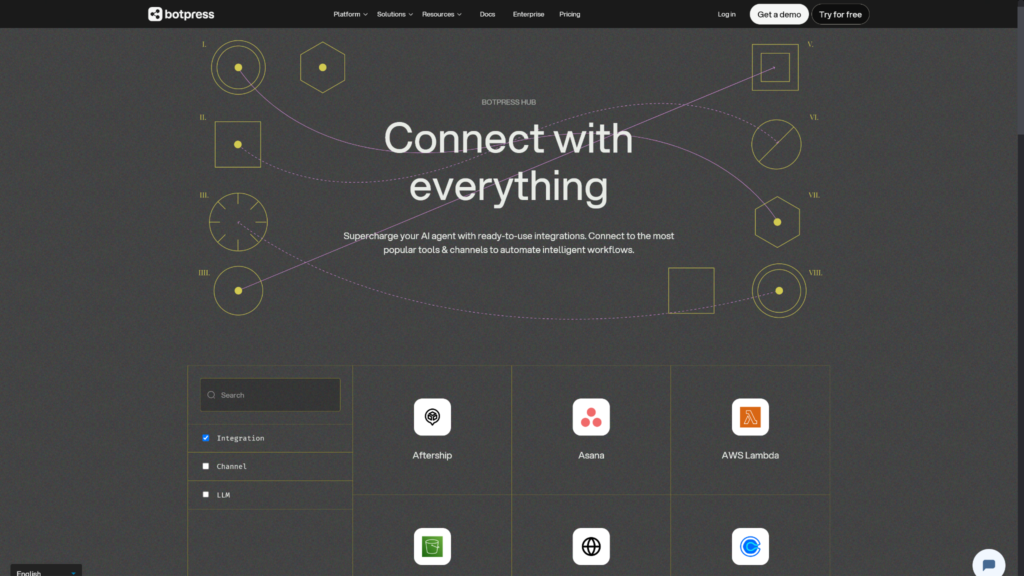
Be advised, though, that this comes with a steep learning curve that dissuades many non-technical users. As an IT professional, though, you should find yourself in a comfortable spot with the builder interface sooner than most. Pricing is usage-based on top of your existing base plan allocation starting at $150/month for 250 conversations. For reference, Botpress defines a conversation as any exchange with two or more messages whether human-assisted or AI-driven.
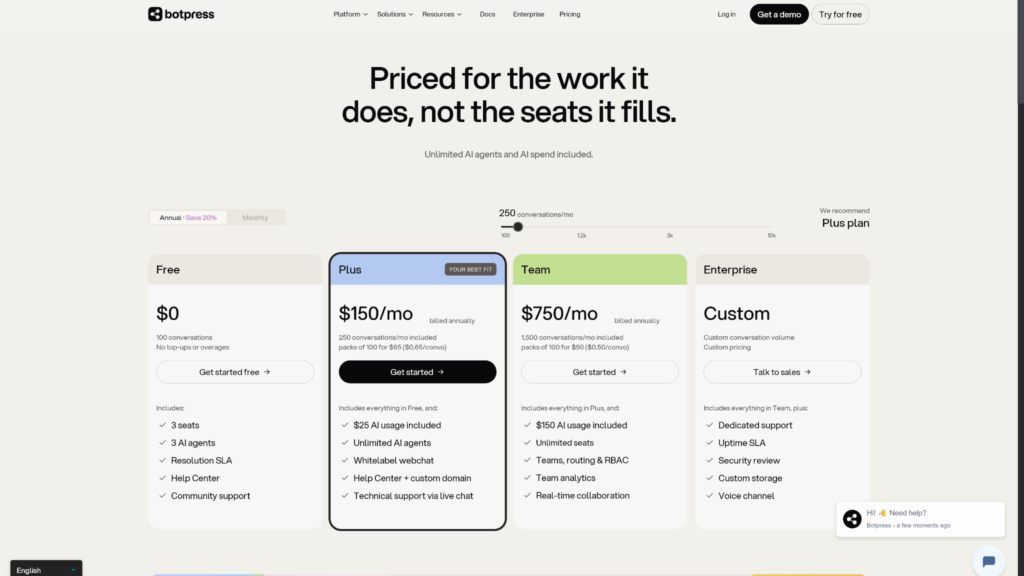
Advanced security features and uptime SLA are locked behind the Enterprise plan, but even the entry-level plan grants access to unlimited AI agents with only a conversation-based limit to account for. If your core use case is automation and ITSM is a part of that requirement rather than your current focus, Botpress is a cost-effective and flexible solution that can be molded into a lot of workflows.
Which of these AI service desk agents is best for you?
If you’re running an IT service desk and want complete ITIL-alignment with incident logging and problem management built in, your best option is to go with InvGate. You’ll get the full benefit of a traditional ITSM platform with powerful AI layered on top. Freshservice can also satisfy this requirement, but it costs a bit more and has a broader internal service focus rather than dedicated IT. Go with them only if your AI service desk needs to extend beyond IT to other internal support needs.
For an AI-native platform with a strong ITIL backbone, Robin is a great option, though it can be quite expensive depending on the scale of your operation.
Finally, if you just need agentic workflow automation for a broad range of internal and external service deployments, Zendesk works great and is least likely to conflict with your existing tech stack with its massive third-party app Marketplace. Botpress can be a more AI-forward alternative to Zendesk, but it’s less established and has a steeper learning curve.