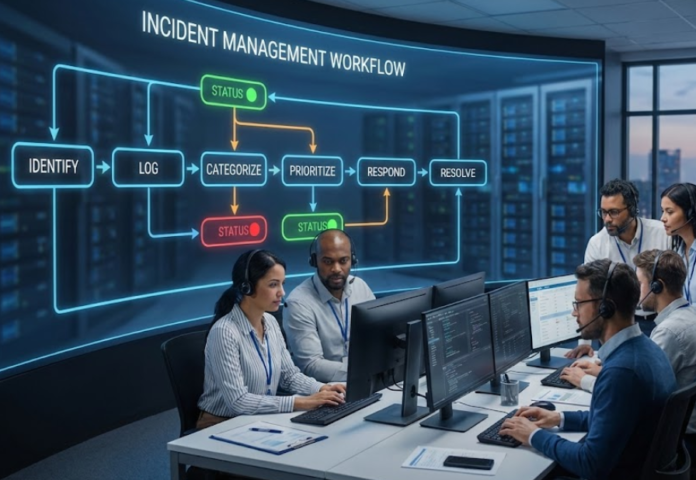

TL;DR
A good incident workflow reduces triage time, standardizes escalation, and keeps communication consistent for high-impact outages.
The goal of incident management
The objective is to restore normal service as quickly as possible while controlling impact. This is why incident management focuses on speed, coordination, and communication.
A question worth answering up front is: Are you optimizing for resolution speed, or are you optimizing for perfect classification?
Most teams should optimize for speed, then refine classification later.
Roles you need before you design states
You can run a solid incident workflow with a minimal set of roles:
- Requester: reports the issue and validates resolution
- Dispatcher or service desk: triages, routes, and communicates
- Resolver group: resolves issues
- Major incident lead: coordinates during critical incidents
Recommended states that stay manageable
Too many states create confusion. A simple model works for most teams:
- New
- Triage
- In Progress
- Waiting
- Resolved
- Closed
You might wonder, When should “Waiting” be used?
Use it only when resolution is blocked by a dependency such as the requester, a vendor, or a required change window. Otherwise keep the ticket in progress.
Intake: what data should be required?
A common mistake is requiring long forms that employees do not complete. You need enough information to route and respond.
Recommended minimum fields:
- Service or category
- Impact level
- Urgency level
- Short description and symptoms
- Affected users or location when relevant
Prioritization: keep it simple
Use a small impact and urgency matrix. Start with four priorities. The point is consistent decision-making, not precision.
If your team argues about priority constantly, ask this: Do we have shared definitions for impact and urgency?
Write a short internal definition and reuse it in training and the portal.
SLAs: two types that matter
Two SLA measures provide most of the value:
- Time to first response or acknowledgment
- Time to restore service or resolve
Set expectations by priority and keep the initial targets realistic. You can tighten them later once routing and knowledge improve.
Escalation rules you can automate
- Escalate to a higher support tier when SLA thresholds are nearing breach
- Escalate to leadership only for high-impact priorities
- Trigger communications for major incidents so employees get updates proactively
A question many teams ask is: Should every incident have stakeholder updates?
No. Reserve frequent updates for major incidents. For routine incidents, a clear status and final resolution note is enough.
Metrics that improve outcomes
Track metrics that lead to action:
- Time to acknowledge
- Time to restore
- Reopen rate
- Backlog aging
- Repeat incident patterns by service
Closing thought
Your workflow should make it easier to restore service and communicate clearly. If the workflow adds friction, simplify states, reduce required fields, and automate routing before you add more process.
