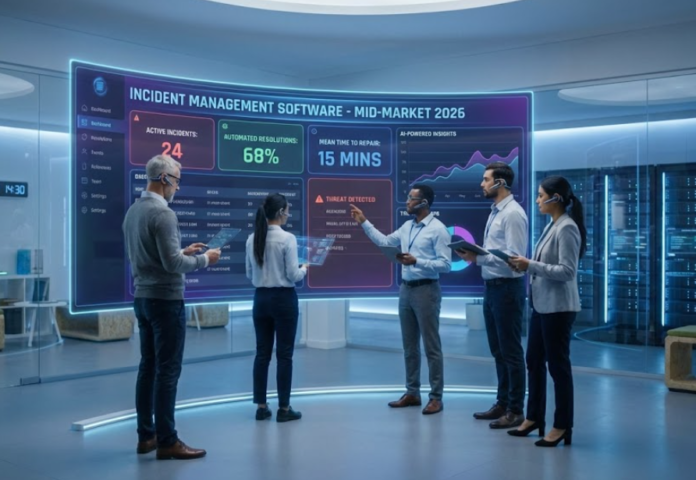

In ITSM, incident management is about restoring normal service operation as quickly as possible to minimize business impact (not cybersecurity “incident response”). For mid-market teams, the practical differentiators are usually day-to-day usability (will the service desk actually use it consistently?) and reporting (can leaders see trends, SLA health, and workload without spreadsheet gymnastics?).
Quick clarity that avoids messy data later:
- Incident = unplanned interruption / degradation (fix fast).
- Problem = root cause and prevention (reduce repeats).
- Service request = standard fulfillment (access, setup, etc.). (Many tools support all three, but keeping them distinct keeps your reporting honest.)
What to look for (mid-market lens)
- Fast intake + triage: clear categorization, priority, routing, and SLA clocks.
- Manager-ready dashboards: incident volume trends, MTTR, SLA breaches, backlog aging, workload.
- Major incident support (if you have critical services): a defined “high-impact” flow with visibility and stakeholder updates.
- Reporting that helps you improve: trends and recurring patterns, not just counts.
Comparison table (mobile-friendly)
| Tool | Best fit | Reporting | Note |
|---|---|---|---|
| Freshservice | KPI-led service desks | Analytics & reports | SLA + workflow focus |
| HaloITSM | ITIL workflows | Dashboards & reports | Automation-centric |
| InvGate Service Management | ITSM suite growth | Real-time dashboards | Metrics-heavy |
| Jira Service Management | Atlassian ecosystems | Dashboard templates | Major incidents |
| ManageEngine ServiceDesk Plus | SLA discipline | Dashboards & KPIs | Ops-oriented |
| SolarWinds Service Desk | Visibility-first teams | OOTB reports | Incident analytics |
| SysAid | Manager views | KPI dashboards | Real-time visibility |
| ServiceNow ITSM | Complex environments | Incident dashboards | Major incident views |
| TeamDynamix | Broad IT visibility | Dashboards & reporting | SLA + spikes |
| TOPdesk | Workload coordination | Dashboards & reporting | Real-time workload |
Tool overviews
Freshservice
Freshservice positions incident management around structured workflows (including SLAs and routing) and pairs that with reporting/analytics for service desk performance. Their documentation highlights analytics-driven reporting capability (including an “Analytics” feature area) that helps teams turn ticket data into operational views.
If your priority is manager-friendly reporting and consistent service desk process in a mid-market environment, this is a common shortlist item.
HaloITSM
HaloITSM frames incident management as ITIL-aligned, with emphasis on meeting SLAs and automating workflows. Their materials also reference dashboards and analytical reporting as part of their service automation approach (positioned for operational management visibility).
This tends to fit teams that want a structured process with automation baked into everyday incident work.
InvGate Service Management
InvGate’s materials for Service Management emphasize reporting and analytics, including real-time dashboards intended to provide visibility into service desk operations. If your goal is “make performance visible” (volume, SLAs, workload, trends) while running incident management within a broader ITSM scope, it’s a reasonable mid-market option to evaluate.
Jira Service Management
Jira Service Management is often evaluated by teams already operating in Atlassian. Atlassian documents workflows for incident handling and also provides major incident guidance (including stakeholder updates and incident collaboration patterns). On the reporting side, Atlassian supports incident-focused dashboard templates (availability depends on plan).
A good fit when incident work needs to align closely with dev/ops collaboration in the same ecosystem.
ManageEngine ServiceDesk Plus
ManageEngine emphasizes operational controls like SLA management (including separate handling for incidents vs service requests) and supports dashboards designed to surface SLA violations and other key operational indicators.
This commonly appeals to mid-market teams that want strong “run the desk” visibility and SLA discipline.
SolarWinds Service Desk
SolarWinds documents a built-in reporting and analytics layer meant to provide visibility into service desk operations, including out-of-the-box reports and incident-focused analytics.
If your leaders want a clear operational view (bottlenecks, throughput, SLA breaches) without building everything from scratch, this belongs on the list.
SysAid
SysAid publishes a “manager dashboard” concept focused on real-time visibility into help desk KPIs, including active incidents and ticket volume views intended for operational oversight.
This is relevant for mid-market teams where leadership needs quick, continuous situational awareness of incident workload and performance.
ServiceNow ITSM
ServiceNow provides documentation for incident management dashboards (process metrics views) and also major incident dashboard concepts, including mobile “at-a-glance” visibility for major incidents.
It typically fits organizations with higher process maturity or more complex governance needs, where structured dashboards and major-incident visibility are important.
TeamDynamix
TeamDynamix highlights dashboards and reporting as a “single pane of glass” for ticket data and SLAs, and describes live dashboards that can surface real-time spikes in incidents to initiate major incident/problem workflows.
This can suit mid-market teams that want reporting to serve both operational management and stakeholder communication.
TOPdesk
TOPdesk markets dashboards and reporting as a way to visualize performance, and its incident management materials describe a real-time dashboard to view workload, incident types, and what needs attention.
This tends to resonate with service desks that prioritize day-to-day coordination and visibility across the queue.
A practical “metrics-first” sanity check
If you’re trying to avoid tool sprawl and still improve outcomes, start by confirming you can reliably answer these questions inside the product (without heavy exports):
- Are we improving MTTR month over month?
- Where are SLA breaches coming from (category/service/team/time)?
- What’s driving repeat incidents (so we can prevent, not just resolve)?
